Microsoft 365 Tenant Configuration Management Adds Preview Validation and Reusable Baselines
Microsoft’s preview APIs add on-demand monitor runs and versioned configuration templates, with limits and versioning behavior admins should account for.
Microsoft 365 Tenant Configuration Management (TCM) is beginning to move from reporting configuration drift toward applying desired settings. The generally available service can identify differences between a monitor’s baseline and tenant configuration, but it cannot yet correct them from within the product. New Microsoft Graph API methods in public preview add on-demand validation and reusable, versioned configuration templates. Remediation and apply-once operations are also part of the preview API set.
For administrators, the practical change is a new way to test configurations and reuse baselines when creating monitors. These capabilities are still under the /beta Graph API branch, and Microsoft may change them. They’re best evaluated in a test tenant before being relied on for production configuration work. The preview also has limits, including a cap on on-demand runs and a maximum of three versions per template.
Four preview additions
The new API surface includes four operations or features:
- validate starts a monitor run on demand, outside its usual six-hour interval.
- applyOnce puts a monitor into a write mode for its next run. TCM checks the resources and properties in the baseline and changes deviations to match the defined state.
- remediate applies baseline values to drifted properties. Drift records are created per resource, so one remediation request might not cover every drift associated with a monitor.
- configurationTemplates stores baselines as versioned templates. A template version can be used to create monitors, while later versions let administrators record baseline changes.
The API calls are mostly Graph-only at present. The Tenant Governance interface has some support for configuration templates and apply-once monitors, also called configuration deployments. Existing interface pages can show some monitor results, but inspecting a template’s full baseline may require working with large JSON payloads. Microsoft’s documentation for the broader feature is available here.

Run a monitor before its scheduled interval
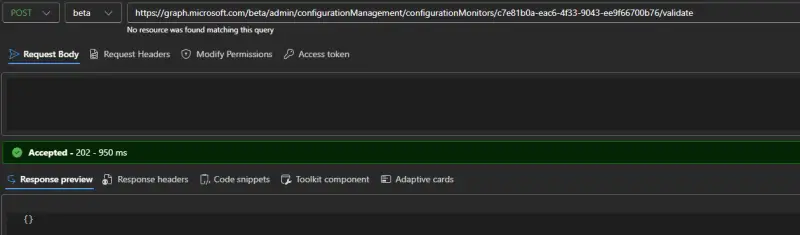
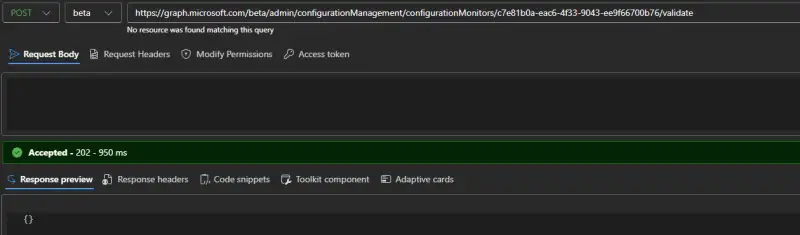
The /validate endpoint queues a monitor to run as soon as possible. It doesn’t change the monitor’s settings or the tenant resources covered by its baseline. Despite that read-like behavior, the call requires ConfigurationMonitoring.ReadWrite.All. Both delegated and application permissions are supported.
No request body is needed. Send a POST request to the monitor’s validate endpoint:
POST https://graph.microsoft.com/beta/admin/configurationManagement/configurationMonitors/xxxxxxxx-xxxx-xxxx-xxxx-xxxxxxxxxxxx/validate
There isn’t a Microsoft Graph PowerShell SDK cmdlet for this operation in the described preview. Administrators can make the request with Invoke-MgGraphRequest:

Invoke-MgGraphRequest -Method POST -Uri 'https://graph.microsoft.com/beta/admin/configurationManagement/configurationMonitors/xxxxxxxx-xxxx-xxxx-xxxx-xxxxxxxxxxxx/validate'
A successful call returns 202 Accepted. That response means the service has accepted the request and scheduled the run; it doesn’t mean the monitor has finished. To check results, query /configurationMonitoringResults with the monitor ID, or use the Tenant Governance interface:
GET https://graph.microsoft.com/beta/admin/configurationManagement/configurationMonitoringResults?$filter=monitorId eq 'xxxxxxxx-xxxx-xxxx-xxxx-xxxxxxxxxxxx'
Neither the API nor the interface identifies a result as coming from an on-demand run. Administrators therefore need to account for that when interpreting monitoring history. The preview permits up to five on-demand runs per day, covering a total of 200 resources. Teams planning repeated checks should keep those limits in view.
Create and version a baseline template
Configuration templates provide a named, versioned home for a baseline: the resources and properties TCM should monitor. They’re separate from configuration snapshots. A new template has no connection to existing baselines or snapshots, so a GET request to the templates endpoint returns no templates until one has been created.
Template operations require ConfigurationMonitoring.ReadWrite.All, available with delegated and application permissions. To create a template, provide a baseline in the POST body. Because baselines can make for lengthy JSON documents, an existing monitor baseline, a snapshot, or a version controlled copy can be a useful starting point.
POST https://graph.microsoft.com/beta/admin/configurationManagement/configurationTemplates
{
  "displayName": "AADConditionalAccessPolicy Vasil",
  "description": "This is a test policy",
  "versions": [
    {
      "baseline": {
        "displayName": "AADConditionalAccessPolicy Vasil",
        "resources": [
          {
            ...
          }
        ]
      }
    }
  ]
}
The displayName field is required. A successful request returns 201 Created, together with the template ID and other details. Use the collection endpoint to list templates, or include a specific ID to retrieve one:
GET https://graph.microsoft.com/beta/admin/configurationManagement/configurationTemplates/
GET https://graph.microsoft.com/beta/admin/configurationManagement/configurationTemplates/{id}
To retrieve a template’s versions, query its /versions endpoint. The baseline content isn’t included by default; add ?$expand=baseline to return it with each version.

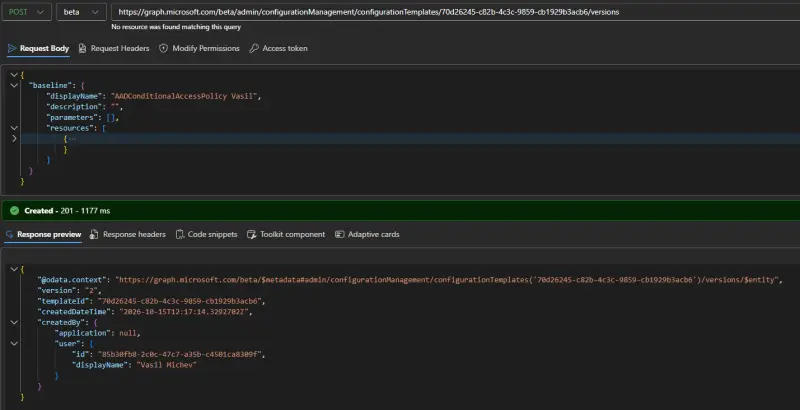
GET https://graph.microsoft.com/beta/admin/configurationManagement/configurationTemplates/{id}/versions?$expand=baselineCreating a later version also requires a POST to /versions, with the complete updated baseline in JSON. Even a change to one property requires the full baseline payload. The service accepts a version whose content matches an existing one, provided the JSON parses and includes required properties. The current preview allows a maximum of three versions for each template.
POST https://graph.microsoft.com/beta/admin/configurationManagement/configurationTemplates/{id}/versions
{
  "baseline": {
    "displayName": "AADConditionalAccessPolicy Vasil",
    "description": "",
    "parameters": [],
    "resources": [
      {
        ...
      }
    ]
  }
}
On success, the API returns 201 Created and assigns an incremental version number. To list versions with their baselines, use ?$expand=baseline. A specific version can be fetched with a GET request to /versions/{versionId}. For example:
GET https://graph.microsoft.com/beta/admin/configurationManagement/configurationTemplates/{id}/versions/2There’s no supported PATCH or PUT operation for editing an existing version or its baseline. To change the stored configuration, create another version. A version can be deleted with a DELETE request, which returns 204 No content when successful:
DELETE https://graph.microsoft.com/beta/admin/configurationManagement/configurationTemplates/{id}/versions/2Version numbers can be reused when deleting the highest numbered version. If a template has versions 1 and 2 and version 2 is deleted, the next version created is numbered 2. Deleting version 1 instead leaves the next new version numbered 3. Template activity is recorded in the Entra ID audit log under the Tenant Configuration Management service. Relevant event names are CreateTemplate, CreateTemplateVersion and DeleteTemplateVersion.
Use a template to create a monitor
A template lets administrators create a monitor by referring to a baseline already stored in TCM, rather than sending the baseline again in the monitor request. The service uses the template’s latest version by default. Microsoft’s described behavior doesn’t allow selecting an older version, although testing found that a previous version could be specified.
POST https://graph.microsoft.com/beta/admin/configurationManagement/configurationMonitors
{
  "displayName": "Monitor from reusable security baseline",
  "mode": "monitorOnly",
  "template": {
    "templateId": "xxxxxxxx-xxxx-xxxx-xxxx-xxxxxxxxxxxx",
    "version": "2"
  }
}
A successful request returns 201 Created and the new monitor’s basic properties. To inspect which template and version it uses, retrieve the monitor with its template property expanded. You can also inspect a template’s versions and the monitors that reference them:
GET https://graph.microsoft.com/beta/admin/configurationManagement/configurationMonitors/xxxxxxxx-xxxx-xxxx-xxxx-xxxxxxxxxxxx?$expand=template
GET https://graph.microsoft.com/beta/admin/configurationManagement/configurationTemplates/xxxxxxxx-xxxx-xxxx-xxxx-xxxxxxxxxxxx/versions?$expand=baseline,referencedInternalMonitors($select=id,displayName)
The template’s referencedInternalMonitors property lists internal monitors using it. Cross-tenant cases use referencedExternalMonitors. Multiple monitors can share one template version. However, a version in use by a monitor can’t be deleted, and that restriction also prevents deletion of the template itself. An attempted deletion returns 409 Conflict.
Each monitor remains tied to the template version selected when the monitor was created. Publishing another version doesn’t update existing monitors, and the baseline associated with a version can’t be edited in place. The service also blocks attempts to change a monitor’s baseline directly with PATCH. Administrators who need a monitor to use a changed baseline will need to account for those version and reference rules as they manage templates.
For now, templates make it easier to preserve and reuse desired configurations, while on-demand validation shortens the wait for a monitor result. The preview API also exposes write operations through remediate and applyOnce; understanding their behavior and limits will matter as teams assess how to move from detecting drift to correcting it.


