Microsoft Entra Resource Policies: Built-In Controls, Roles and Enforcement
Entra Resource Policies can monitor or block selected Graph requests. Check licensing, roles, assignment settings and privileged-read dependencies before enabling enforcement.
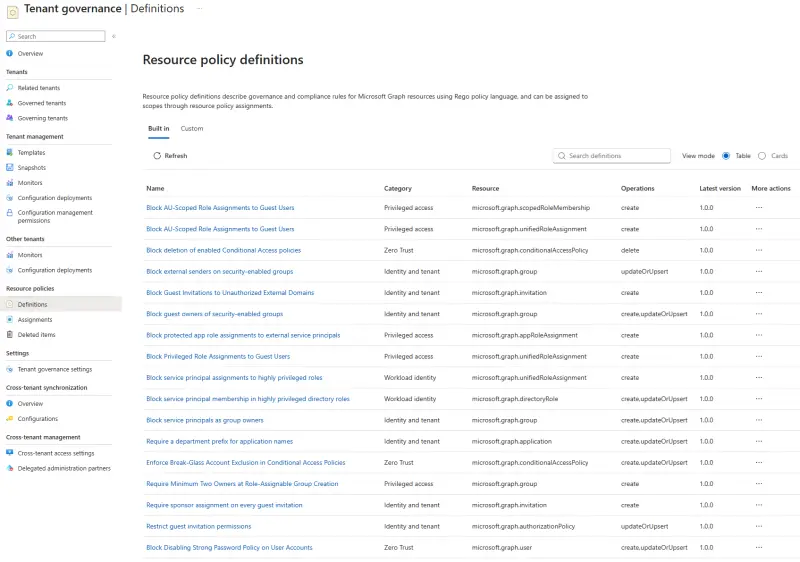
Microsoft Entra Resource Policies give administrators a way to evaluate selected Microsoft Graph requests against tenant rules, then record or block requests that violate those rules. The feature is in public preview as part of Tenant Governance. Its practical value depends on careful setup: assignments control whether a definition runs, enforcement can stop requests, and some policies need an additional app configuration that the portal may not make obvious.
How definitions and assignments work
A resource policy definition describes the conditions a Graph request must meet. Definitions use Rego, the policy language documented by the Open Policy Agent project, although Entra Resource Policies support only a subset of its functions. The service also supports a limited set of Entra resources and operations; Microsoft lists the current coverage in its supported resources documentation.
Creating a definition does not put it into effect. Administrators create an assignment that connects the definition to a scope and sets its status and enforcement mode. The supported scope is currently tenant-wide, represented as “/”. Definitions can also accept parameters, which administrators provide in the assignment.
Rego offers room to build custom rules, but it is a specialized language that many Entra administrators may not use day to day. Microsoft provides 17 built-in definitions for common governance scenarios, ready to assign. The portal can create assignments for those definitions in a few steps. Custom definitions, by contrast, require a Rego file and are better handled through the API when managing them beyond initial upload.
Access and licensing requirements
Three Entra roles relate to the feature. Resource Policy Administrator can manage policies, Resource Policy Reader provides read-only access, and Resource Policy Evaluator supports simulated runs. Microsoft has identified an overly strict role check in the portal and is working on a fix. Until that is addressed, administrators with the correct role may need to use API methods if the portal blocks their access.
Licensing has a significant limitation during preview. Entra ID Governance, or an equivalent SKU, is required for full access. Entra ID P1 and Entra ID P2 alone are insufficient and provide only limited access. Requirements may change when the feature reaches general availability, but administrators should check their current entitlements before planning a rollout.
Built-in definitions to review
The definitions are available in the Entra admin center under Tenant Governance > Resource Policies > Definitions. The current set covers role assignments, guest access, groups, applications, Conditional Access and account settings. It includes:
- Block AU-Scoped Role Assignments to Guest Users
- Block AU-Scoped Role Assignments to Guest Users (a newer version appears to be available)
- Block deletion of enabled Conditional Access policies
- Block external senders on security-enabled groups
- Block Guest Invitations to Unauthorized External Domains
- Block guest owners of security-enabled groups
- Block protected app role assignments to external service principals
- Block Privileged Role Assignments to Guest Users
- Block service principal assignments to highly privileged roles
- Block service principal membership in highly privileged directory roles
- Block service principals as group owners
- Require a department prefix for application names
- Enforce Break-Glass Account Exclusion in Conditional Access Policies
- Require Minimum Two Owners at Role-Assignable Group Creation
- Require sponsor assignment on every guest invitation
- Restrict guest invitation permissions
- Block Disabling Strong Password Policy on User Accounts
Built-in definitions cannot be edited in place. Administrators can copy a built-in definition’s Rego payload, modify it and upload the result as a custom definition. The definitions can also be queried through Microsoft Graph’s beta endpoint, with the ResourcePolicyDefinition.Read.All permission, available as delegated or application permission:
GET https://graph.microsoft.com/beta/admin/resourcePolicy/builtindefinitions?$select=uniqueName,displayName,description
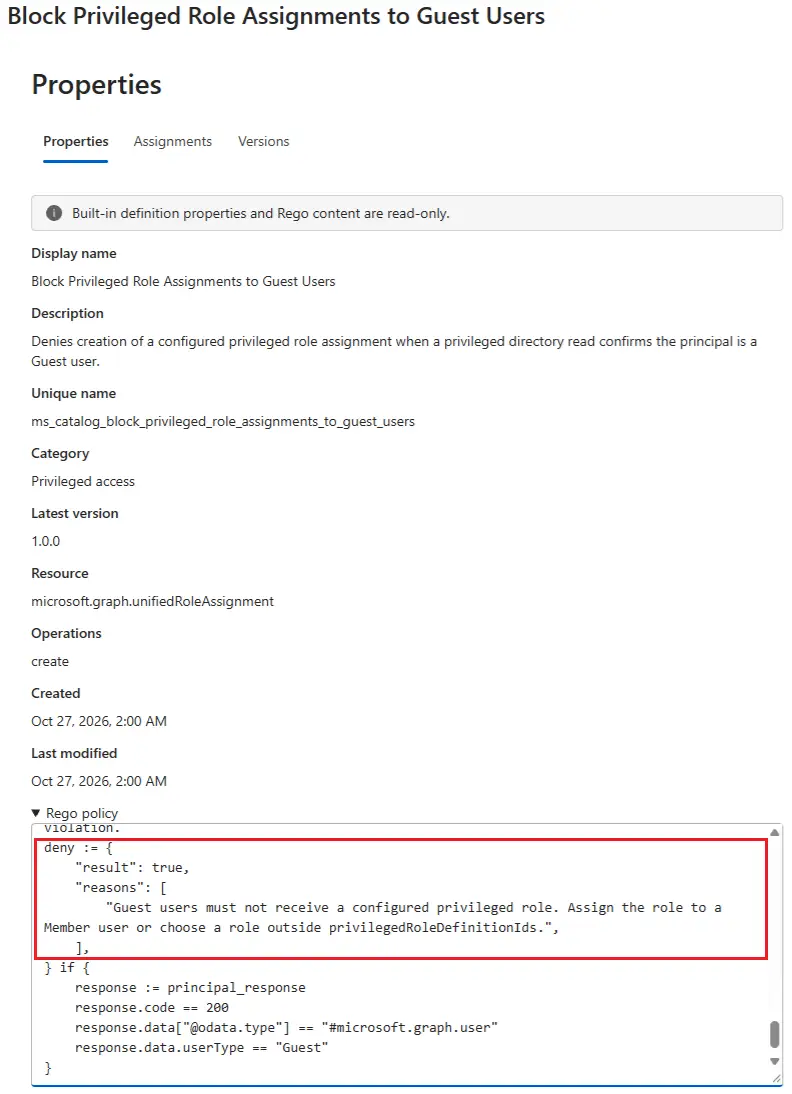
Selecting a definition in the portal opens its Properties pane. Review its display name, description and version, then check the resource and Graph operations it covers. The Rego policy view exposes the full definition, including the specific error message a rejected request may return. That detail can help administrators anticipate the result of enforcement and explain it to teams that rely on the affected operation.

Set assignment status, mode and parameters
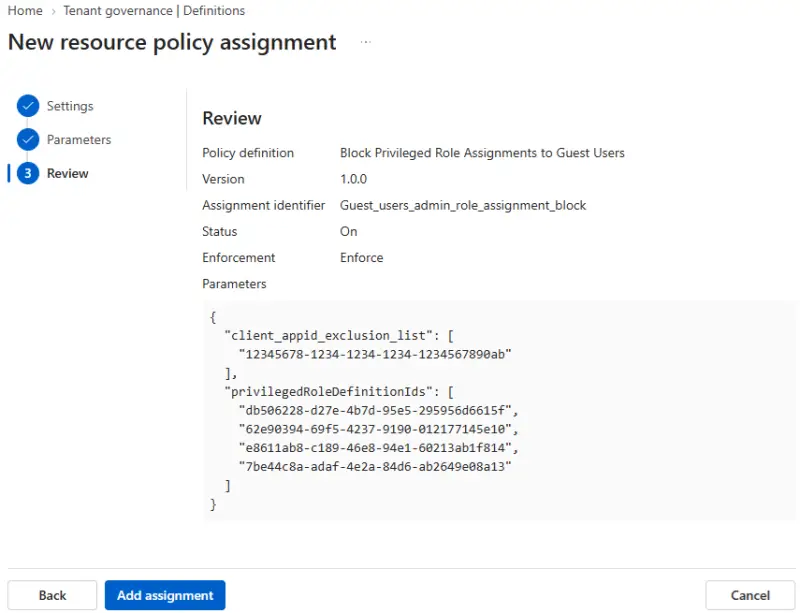
For example, an administrator can assign the built-in definition Block Privileged Role Assignments to Guest Users. Select the definition and choose Add assignment, either directly or from the table’s menu. The wizard asks for an assignment identifier, status and enforcement mode.
The identifier names the assignment object. It must start with a letter, stay under 128 characters and contain no spaces. Only one assignment can exist per policy version, so the identifier uniquely identifies that assignment. A disabled assignment is not evaluated. An active assignment can run in Report-only mode, which flags requests that violate the definition, or Enforce mode, which can block them.
When creating assignments through the API, administrators must also specify the policy definition and its version. Scope is currently limited to the tenant-wide “/” value. Any parameters required by the definition must be supplied as well. In the privileged-role example, privilegedRoleDefinitionIds is mandatory and identifies the Entra roles treated as privileged. The optional client_appid_exclusion_list parameter can exclude specified applications from the policy’s effect.


After reviewing the settings, submit the assignment. It may take about 10 minutes to take effect. Once active in Enforce mode, an attempt to assign a listed privileged role to a guest should fail. The following Microsoft Graph PowerShell command illustrates a role assignment request:
New-MgRoleManagementDirectoryRoleAssignment -DirectoryScopeId "/" -PrincipalId "xxxxxxxx-xxxx-xxxx-xxxx-xxxxxxxxxxxx" -RoleDefinitionId "7be44c8a-adaf-4e2a-84d6-ab2649e08a13"
When a resource policy blocks a request, the expected response is 403 Forbidden, with the message “Request is denied by resource policy.” The response also identifies the assignment and includes the message defined in its Rego payload. Requests involving a role outside the configured privileged-role list should continue to work, as should requests where the principal is not a guest.
Logging and overlapping assignments
A blocked request does not create an entry in the Entra ID Audit log. Administrators investigating these failures should use Evaluation audit logs; Graph API Activity logs may also help with request investigation. This distinction matters when designing monitoring: a missing Entra audit entry does not mean the policy was never evaluated.
When several assignments apply to one request, any violation from an assignment in Enforce mode blocks the request. An assignment in doNotEnforce mode records an evaluation result without blocking it, while a disabled assignment does not evaluate the request. Microsoft describes these interactions in its policy evaluation documentation. Teams should account for all assignments affecting a request before attributing a block to a single definition.
Check for the privileged-read app dependency
Some policies need information that is not present in the request payload or access token. The guest role-assignment example, for instance, must determine whether the target principal is a guest. The policy engine can make an additional Graph request and use its result during evaluation. That capability makes more detailed rules possible, but it requires a separately configured privileged-read application.
The dependency was not initially explained in the portal, which could make some built-in policies appear ready to assign when a required setup step was missing. Microsoft subsequently added a backend check to prevent assignment of affected policies before the privileged-read app is configured, and updated the logic of many built-in definitions to handle these cases better. Administrators should still inspect the Rego payload before assigning a policy. If it contains fetchAsPolicy(), verify that the privileged-read app is set up.
Other portal controls
The Definitions page lists custom definitions alongside built-ins. A custom definition can be added by uploading its .rego file, but the portal does not provide an edit function for an existing definition; changes require uploading the file again. The Assignments page lists configured assignments with their status, mode and other metadata. Administrators can create assignments there or delete existing ones.
Deleted items provides separate tabs for soft-deleted definitions and assignments, with options to restore or permanently delete each item. These controls give administrators a recovery step after deletion, while the definition and assignment pages cover routine management.
For a first deployment, review the supported resources, licensing and administrator roles; inspect the selected Rego definition and its parameters; confirm whether it calls fetchAsPolicy(); then start with Report-only if the goal is to observe matches before blocking requests. Allow roughly 10 minutes for a new assignment to take effect, and plan to check Evaluation audit logs when investigating policy decisions.



