Microsoft Entra Resource Policy: Configure Privileged Reads and Custom Rego Policies
Set up the privileged-read app for additional Graph lookups, then create, update, version and delete custom Entra Resource Policy definitions.
Custom Microsoft Entra Resource Policies can inspect request data and token claims, but some decisions need information that isn’t present in either. Those policies require a separately configured privileged-read application to make additional Microsoft Graph calls. Administrators can also write their own policies in Rego and manage their definitions through the Graph API, with versioning and deletion rules that affect how changes should be handled.
Set up the privileged-read application
A policy such as Block Privileged Role Assignments to Guest Users needs to determine whether a principal ID belongs to a guest user. The request payload and access token may not contain enough information to make that determination. A Graph lookup can supply it, but the policy service needs a controlled identity with the required permissions to perform the read.
Microsoft’s privileged-read model uses a single-tenant application configured by a tenant administrator. The administrator grants it only the application permissions needed for policy reads, provides admin consent and configures federated identity credentials (FICs) for authentication. The app should not have other credentials configured.
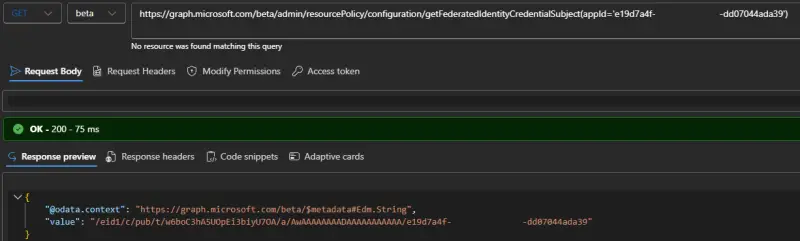
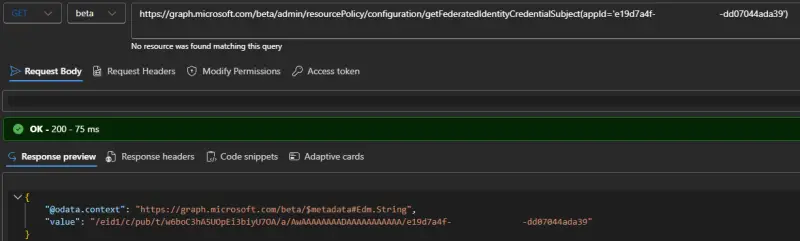
First, create the application and grant its application permissions. Then request the tenant-specific FIC subject by calling the beta Graph API method below with the app’s client ID. This call requires ResourcePolicyConfiguration.Read.All.
GET https://graph.microsoft.com/beta/admin/resourcePolicy/configuration/getFederatedIdentityCredentialSubject(appId='xxxxxxxx-xxxx-xxxx-xxxx-xxxxxxxxxxxx')
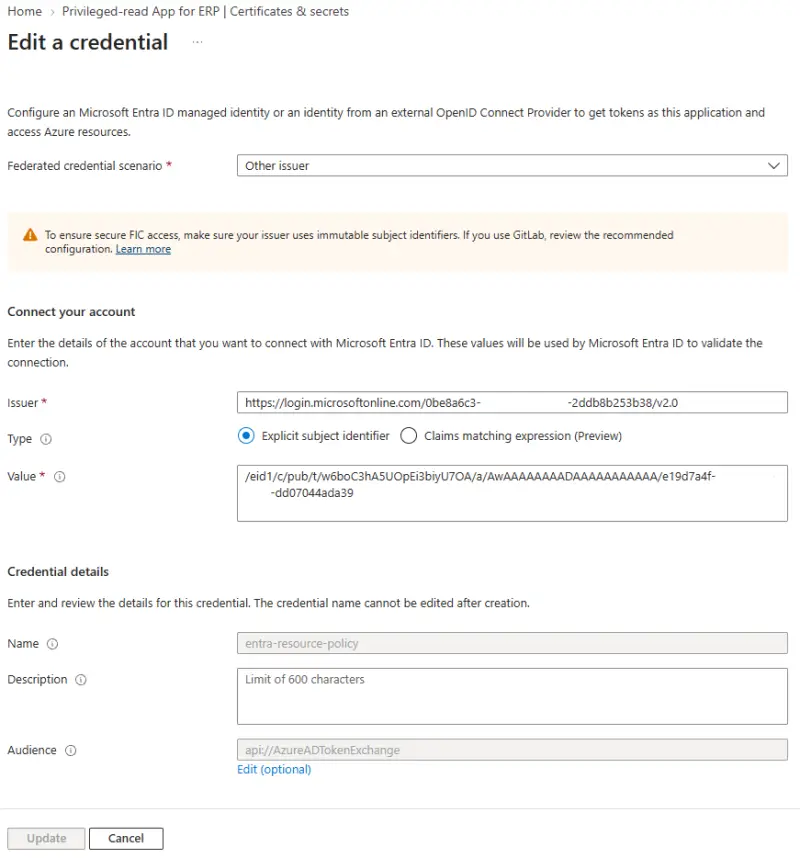
Use the returned subject when creating a federated identity credential for the app. The credential can be added through the API, PowerShell or the Entra admin center. Its values are:
- name: Any suitable name, such as “FIC for ERP”.
- issuer: The tenant-specific URL in the form
https://login.microsoftonline.com/xxxxxxxx-xxxx-xxxx-xxxx-xxxxxxxxxxxx/v2.0. - subject: The value returned by the subject method. It should reference the client ID of the single-tenant app.
- audiences:
["api://AzureADTokenExchange"].
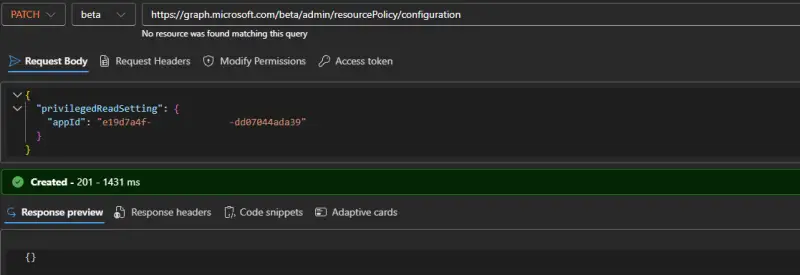
After the FIC is in place, configure Resource Policy to use the app for privileged reads. Send a PATCH request to /admin/resourcePolicy/configuration, setting privilegedReadSetting.appId to the application’s client ID. This operation requires ResourcePolicyConfiguration.ReadWrite.All.
PATCH https://graph.microsoft.com/beta/admin/resourcePolicy/configuration
{
  "privilegedReadSetting": {
    "appId": "xxxxxxxx-xxxx-xxxx-xxxx-xxxxxxxxxxxx"
  }
}
The service checks that the application exists and has an FIC with the expected value. A successful configuration returns 201 Created. Administrators can then validate the live privileged-read setup using Microsoft’s documented validation procedure. The application’s permissions and federation details are prerequisites for policies that need additional Graph reads.
Define a custom policy in Rego
Custom Resource Policies use Rego to evaluate requests. The policy service supports a defined subset of Rego’s built-in functions, so authors should check the service limits before relying on a particular function.
A policy definition has several identifying and targeting properties. uniqueName is the unique identifier: it must begin with a letter, contain only letters, numbers or underscores, and be no longer than 128 characters. displayName is the human-readable label shown in the interface, while description records the policy’s intent and expected result. Each definition also requires a version in the form 1.0.0.
The selector identifies the resource and operations in scope, such as particular Graph API methods. Supported resources, actions and operations are documented by Microsoft. An applicable rule can further narrow when a policy applies. The optional category can be set to notSpecified, workloadIdentity, identityAndTenant, privilegedAccess, zeroTrust, agenticIdentity or networkAccess.

These definition properties are represented in the Rego package and its __metadata__ block. For example, a package named graph.Application_restrict_sensitive_permissions["1.0.0"] could target the microsoft.graph.appRoleAssignment resource and the create and updateOrUpsert operations. The package name combines the graph. prefix, the policy’s unique name and its version.
The rules that follow the metadata block contain the evaluation logic. They can inspect the request body and claims from the access token through the automatic input object. For example, input.request.authContext.oid exposes the token’s oid claim, while input.resource represents the request body. Policies must include at least one deny rule. Depending on the use case, the remaining logic can exclude specific cases, transform request data or make additional Graph reads when the privileged-read app is configured.
To create a definition, POST the Rego package to /admin/resourcePolicy/definitions. The call requires ResourcePolicyDefinition.ReadWrite.All. The service can derive the definition properties from the package, so the request can provide the policy as text inside the rule object.
POST https://graph.microsoft.com/beta/admin/resourcePolicy/definitions
{
  "rule": {
    "policy": "Rego package goes here"
  }
}
A successful creation returns 201 Created. The service checks the policy name against both active and deleted definitions. If it finds a matching name, it returns 409 Conflict, so a name cannot be reused while a definition with that identifier remains in either collection.
Read, update and remove definitions
A GET request to /admin/resourcePolicy/definitions returns active custom policies. To inspect one definition, address it by its uniqueName. Standard query options such as $select and $expand can shape the response; for example, $expand=* can include assignment information.
GET https://graph.microsoft.com/beta/admin/resourcePolicy/definitions?$expand=*
Updates replace the policy payload rather than changing individual definition properties. Send the revised Rego package in a PATCH request, include the current eTag in an If-Match header, and increment the version in the package. A successful update returns 204 No Content.
PATCH https://graph.microsoft.com/beta/admin/resourcePolicy/definitions/Application_restrict_sensitive_permissionsV2
If-Match: "ea056299-0000-4700-0000-6afc63c90000"
{
  "rule": {
    "policy": "Rego package goes here"
  }
}
The new payload becomes the current definition, while the prior version remains available through /previousVersions or by expanding previousVersions on the definition. Administrators can delete an individual previous version by targeting its version identifier. That deletion is permanent; previous versions do not have a soft-delete stage.
GET https://graph.microsoft.com/beta/admin/resourcePolicy/definitions/Application_restrict_sensitive_permissionsV2?$expand=previousVersions

DELETE https://graph.microsoft.com/beta/admin/resourcePolicy/definitions/{uniqueName}/previousVersions/1.0.0
Deleting the definition itself works differently: the policy and its versions move to the soft-deleted definitions collection. From there, administrators can restore the object or permanently delete it.
DELETE https://graph.microsoft.com/beta/admin/resourcePolicy/definitions/{uniqueName}

GET https://graph.microsoft.com/beta/admin/resourcePolicy/deletedItems/definitions

POST https://graph.microsoft.com/beta/admin/resourcePolicy/deletedItems/definitions/{uniqueName}/restore

DELETE https://graph.microsoft.com/beta/admin/resourcePolicy/deletedItems/definitions/{uniqueName}
A definition with assignments cannot be deleted, including when those assignments are soft-deleted. Built-in policies also cannot be deleted, whether or not they have assignments. Before changing or removing a custom definition, administrators should check its assignments and retain the previous-version identifier if they may need to compare or restore policy logic. The next operational step is to manage assignments and parameters, then validate the policy’s behavior and audit trail.


