Microsoft To Do Ends June 30, 2027: What Users and IT Teams Need to Prepare
To Do apps end June 30, 2027. Personal users need another app; work and school users should check Planner’s gaps and plan a manual move.
Microsoft To Do’s apps will stop working on June 30, 2027, and users’ tasks won’t transfer automatically. For personal users, Microsoft points to other task apps without naming a replacement. Work and school users are being directed to Planner, which is gaining a redesigned My tasks page from December 2026 but lacks several To Do features. Teams have time to assess the change, but they’ll need to plan for data export, manual task recreation and dependencies on To Do connections.
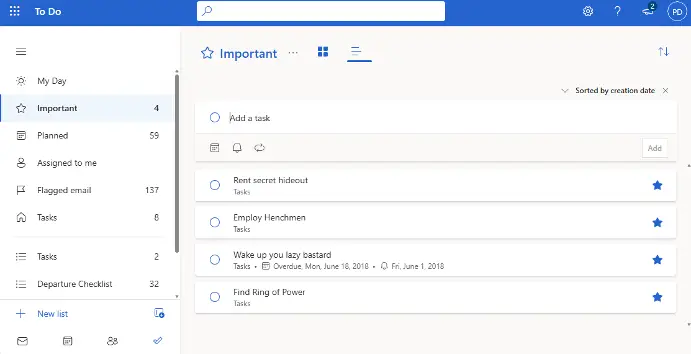
The retirement affects To Do on Windows, Mac, iOS, Android and the web. Microsoft has promised an export option before the apps close, but hasn’t provided its release date, format, supported data or instructions. An export will preserve a copy of the data; it won’t load tasks into Planner or another app.
Key dates and service dependencies
- November 18, 2026: Microsoft described the change in a Planner team blog post about “unified plans.”
- December 2026: A redesigned My tasks page begins rolling out in Planner for work and school accounts.
- Before June 30, 2027: Microsoft says it will provide a way to export To Do data. Timing and details are still pending.
- June 30, 2027: To Do apps stop working. It’s also the last day work and school users can see their old To Do tasks inside Planner.
- Dates not yet provided: The To Do service, its APIs and sync support are set to end on separate timelines.
The separate timelines matter to organizations that connect To Do with other software. Third party apps and Power Automate flows that use To Do APIs may need changes, even if they continue operating after the apps become unavailable. Microsoft hasn’t given dates for those service retirements.
Microsoft says the apps closing won’t itself delete stored data. That does not guarantee users will be able to access it through the same tools: work and school users lose access to old To Do tasks in Planner on June 30, 2027. Organizations should review retention needs and make a plan for data they’ll need later.
Personal accounts have no Microsoft replacement
Planner isn’t available as the replacement for users with personal Microsoft accounts, including Outlook.com, Hotmail and Live accounts and accounts tied to Microsoft 365 Personal or Family subscriptions. Microsoft’s guidance is to choose another task app. The company hasn’t named one or described a migration path for personal lists.
That leaves households and individuals responsible for finding a tool that suits their needs and moving their information. Shared lists need particular attention: everyone who uses a family shopping list or household task list will need to agree on the same replacement. Membership, assignments and permissions won’t transfer with an export.
To Do also supplies task features in Outlook.com and the new Outlook. Microsoft says those entry points will be updated, but hasn’t yet explained what users will see or how existing tasks will be handled. Users who rely on Outlook for task access should keep an eye out for further details.
Recurring tasks and reminders deserve a separate check. These can be easy to overlook when transferring lists, and a replacement may handle schedules or alerts differently. Make a note of the recurring items and reminder details that matter before choosing a new app.
There’s little reason for personal users to rush into a permanent move before Microsoft publishes export details. It makes sense to inventory current lists and shared users now, then assess the export and available alternatives when more information appears. Other task apps may change or gain features before the deadline, but no specific replacements are identified yet.
Planner adds a list view, with practical gaps
For work and school accounts, Microsoft is positioning Planner as the place to manage personal tasks alongside work assigned to users. From December 2026, new private tasks created in Planner will be stored in a private Planner plan rather than in To Do.
The redesigned My tasks page is intended to provide a simpler list layout, a separate Assigned to me view and starring for important tasks. The current page offers Grid and Board views; the refresh adds List view. Users should try the updated page when it arrives and compare it with the To Do features their work depends on.
Planner has limitations that could affect that decision. Microsoft has no plans for Windows or Mac desktop apps, so computer users access Planner in a browser or through Teams. There’s no proper offline mode, which can be a problem for people who need to update tasks without a reliable connection.
Other differences include:
- Reminders: Planner notifications are based on due dates. Users can’t set a specific reminder time for each task as they can in To Do.
- Attachments: Private tasks don’t support attachments at present.
- List organization: Planner has no equivalent to To Do’s list groups or folders.
- Printing and email: Users can’t print or email a list, and Microsoft says it doesn’t plan to add those options.
- Outlook categories: Planner labels don’t sync with Outlook categories.
- Shared lists: They don’t carry over. Planner collaboration uses plans and task assignments instead.
Access also depends on licensing and the organization’s settings. Some premium features require extra licenses, so users shouldn’t assume every Planner capability will be available under their current subscription.
Plan the work by account type
Personal users can start by listing the To Do features they use: regular lists, recurring tasks, reminders, My Day and shared lists. Identify everyone who needs access to shared information and agree on a future app together. When Microsoft’s export option appears, check what it includes and keep a copy of the data that matters.
Work and school users should compare their To Do habits with Planner’s current limitations, especially the absence of offline access and a desktop app. Confirm with IT that Planner is available under the account’s licenses and follow any organizational transition plan. Try the new My tasks page after its December 2026 rollout; Planner is also available on the web at planner.cloud.microsoft. Tasks that remain important will need to be recreated in a private plan, either manually or with Copilot if available.
IT teams should confirm Planner access and licensing for affected users, and check whether Planner is disabled for any groups that need it. Inventory shared lists, third party integrations and Power Automate flows that rely on To Do. The APIs have their own retirement timeline, so those dependencies need separate follow-up.
Admins should also review retention requirements for existing To Do data and new Planner tasks, explain the feature differences to users and monitor the Message Center for rollout details. Microsoft says organizations in government cloud environments should follow separate updates.
A different transition from Wunderlist
Microsoft’s previous task app transition offers a useful comparison. The company bought 6Wunderkinder, the Berlin startup behind Wunderlist, in June 2015 for a reported $100 million to $200 million. The Wunderlist team built To Do, which launched in April 2017 as its replacement. Wunderlist closed on May 6, 2020.
That move included a direct import from Wunderlist to To Do. For To Do’s retirement, Microsoft has promised an export but no import into Planner or another app. Personal users in particular will have to choose where their data goes and handle the move themselves.
The change also reflects Planner’s growing role in Microsoft’s work and school products, including Teams and Copilot. For administrators, the immediate task is to find out which people, processes and integrations depend on To Do. For individuals, it’s to document essential lists and shared arrangements, then make a choice once export and Outlook details are clearer.


