MSP IT Services: Core Coverage, Pricing Models and Service Delivery
MSPs manage IT through recurring contracts, from monitoring and security to help desk and backups. Scope, SLAs and alert handling shape the value.
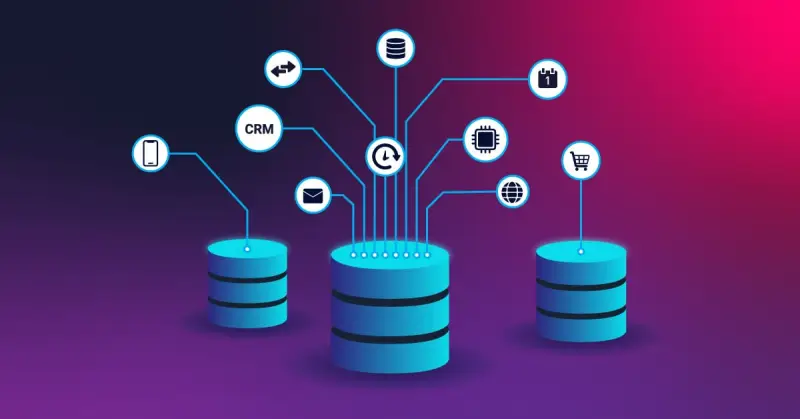

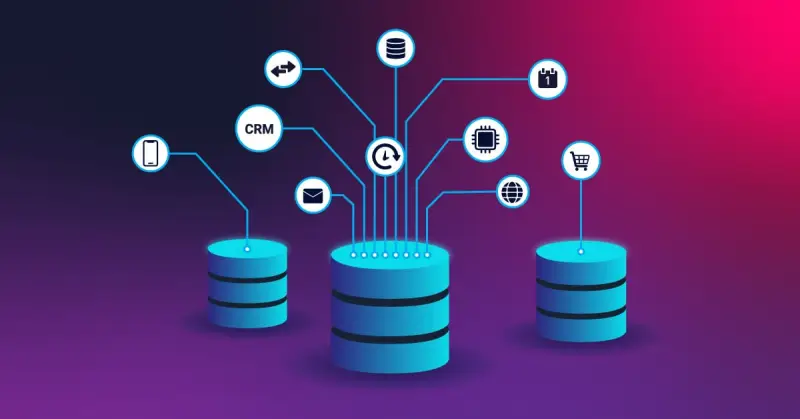
Managed service providers sell something more useful than a queue of repair tickets: ongoing responsibility for keeping a customer’s IT environment running. The model typically combines monitoring, maintenance, user support and security under a recurring contract, with a service level agreement defining the work and response targets.
That arrangement can give a small internal team access to wider expertise and after-hours coverage. But the monthly fee only makes sense when the scope matches the business, each side knows who owns which tasks, and the provider can show what it has done. Monitoring sits underneath much of that work: it helps find failures early and gives both sides evidence about availability, performance and capacity.
What an MSP manages
A managed service provider (MSP) takes continuing responsibility for some or all of another organization’s IT. One customer may contract out its laptops, servers, network and help desk. Another may retain its internal team and buy only security monitoring, backup management or round-the-clock support.
The defining feature is an ongoing service relationship, usually paid for through a subscription. The agreement specifies the services in scope, how issues are prioritized, when support is available, and the provider’s response and resolution targets. Regular reporting and service reviews help the customer judge performance against those terms.
That differs from break/fix support, where a technician is called after a problem occurs and bills for the work. A managed contract puts more emphasis on prevention and recurring operations. The provider’s work includes responding to failures, but also maintaining systems and looking for conditions that could cause the next one.
Two related models are common. Co-managed IT pairs an MSP with an organization’s own IT staff, with the provider taking on agreed gaps or specialist tasks. A managed security service provider (MSSP) concentrates on security operations, such as threat detection and incident response. Some MSPs provide security themselves; others work with an MSSP for more specialized coverage.
How service delivery works
Most engagements move through a practical sequence. First, the provider assesses the customer’s systems, users, devices and cloud accounts. That inventory can expose unsupported hardware, missing backups or other gaps that affect the plan and its cost.
- Agree on scope and service levels. The customer and provider define what is covered, what sits outside the contract, support hours, priorities and response targets.
- Onboard the environment. The provider installs management tools, configures monitoring and alerts, documents systems and connects the customer to its ticketing process.
- Run day-to-day operations. The team monitors infrastructure, applies updates, handles requests and investigates issues. Some contracts include coverage around the clock.
- Report and review. The provider presents service results and SLA performance, then discusses risks and possible improvements with the customer.
The tools behind this process have different roles. Remote monitoring and management (RMM) software puts agents on endpoints and servers so the provider can monitor devices, apply patches and connect remotely. Professional services automation (PSA) software manages tickets, contracts and billing. Network monitoring tools track infrastructure such as switches, firewalls, servers and bandwidth; they can often monitor devices without installing an agent on each one.
These systems answer separate operational questions: what is happening on managed endpoints, what work is the service team handling, and where is the infrastructure showing trouble? They work best when alerts become actionable work. A warning that remains in a dashboard may go unnoticed; one routed to the right engineer with useful context can start an investigation before users report a fault.
Round-the-clock coverage also needs a defined process. A 24/7 support commitment should make clear who watches for alerts and how an engineer is contacted outside normal hours. The SLA turns that promise into targets. The source gives a critical outage response target of 15 minutes as an example, compared with a next-business-day target for a routine request. Those are examples of possible targets, not a universal standard.
The five core service areas
Monitoring and maintenance
Proactive monitoring is the operating layer beneath many managed services. Providers track infrastructure, including servers, network devices, endpoints and applications, and respond to early signs of trouble. Routine maintenance can include patch management, firmware updates, disk cleanup, certificate renewals and planning for aging hardware.
Many failures offer clues before users feel an impact. Storage may fill gradually, a network port may begin dropping packets, or a certificate may be approaching its expiry date. Finding those signals requires regular data collection, thresholds tuned to the customer’s environment and alerts that reach someone responsible for acting.
Monitoring needs to answer three basic questions: is the system available, is its performance degrading, and is it approaching a capacity limit? Maintenance windows help prevent scheduled work from generating false alarms. Alert routing should also reflect the agreed service levels. If every warning reaches every engineer, important signals can be lost among low-priority notifications.
Cybersecurity and compliance support
Security services can span firewall and network management, endpoint protection, email security, vulnerability scanning, user training and incident response. Providers with more extensive operations may offer access to a security operations center (SOC), either their own or through a specialist partner. This is where an MSP’s broader IT scope can overlap with an MSSP’s security focus.
Customers in regulated sectors may also need technical controls and records that support their compliance work. The provider may implement controls, retain evidence and help the customer respond to audit requests. The specific requirements depend on the customer’s industry and obligations; the contract should spell out which tasks the provider accepts.
Infrastructure monitoring plays a supporting role here, but it does not detect threats by itself. It can show whether firewalls and VPN gateways are available and operating under load, track bandwidth changes, and pass alerts or logs to security systems such as a security information and event management platform. Those security tools perform the correlation and detection. Monitoring can still catch a serious operational gap, such as a firewall that has stopped functioning.
Cloud infrastructure management
Cloud management may cover Microsoft 365, Azure, AWS and hosted business applications. Depending on the agreement, the provider may administer users and licenses, configure access policies, track costs, manage migrations and design cloud services around the customer’s needs. Identity and connectivity between cloud services and on-premises systems may also be part of the work.
Microsoft 365 can be a particularly visible part of the service for small and midsize customers. Email and Teams interruptions quickly affect staff. A provider that can check whether a problem sits with a cloud service, a local network or the connection between them can help narrow the issue before support teams spend time troubleshooting the wrong system.
That requires monitoring beyond the customer’s local network. Providers may check cloud service status, test important functions such as mail flow and watch the links between sites and cloud platforms. Hybrid environments complicate diagnosis because the fault could be inside the customer’s network, along the internet connection or within the cloud service.
Help desk and technical support
The help desk is the service most users encounter directly. It handles password resets, onboarding, software problems and common device issues. Providers often divide support into tiers: first-line staff address frequent requests, while more complex problems go to engineers with deeper technical skills.
Remote access lets technicians resolve many issues without travelling to a customer site. Some contracts add on-site support for hardware repairs and project work. User onboarding and training may also be included, depending on the package.
Monitoring can change the starting point for support. In a reactive model, a user reports a fault and the team begins investigating. With monitoring connected to ticketing, an alert can create a ticket and prompt work before the first call arrives. Providers can track how many incidents they identified themselves compared with those reported by users.
Backup and disaster recovery
Backup and disaster recovery (BDR) protects business data and operations when systems fail, files are deleted or malicious software disrupts access. The provider may set backup schedules, keep copies on-site and off-site, and test whether data can be restored. Business continuity planning extends beyond the backup itself by documenting how the organization will keep working during an interruption.
Two measures guide the design. The recovery point objective (RPO) defines how much data the organization can afford to lose. The recovery time objective (RTO) defines how long it can tolerate being without a system. A business that can accept a day of missing data has different requirements from one that can tolerate only 15 minutes.
A backup’s success cannot be judged solely by whether a job was configured. Monitoring should confirm whether each job ran, record its result and duration, watch the destination storage and flag missed schedules. Regular restore tests provide another check that the data can be recovered when needed.
Services beyond the core package
Many MSPs extend their catalog to cover the parts of an environment that a customer would otherwise manage separately. Network management can include configuring and monitoring switches, routers, wireless networks and WAN links. Endpoint management covers deploying, patching and retiring laptops, desktops and mobile devices.
Managed communications may include hosted phone systems, video conferencing and monitoring call quality. IT consulting can help with planning, budgeting and technology roadmaps; some providers offer this through a virtual CIO service. Office moves, migrations and hardware refreshes are common project engagements, and are often billed separately from the recurring service fee.
The breadth of a provider’s catalog does not mean every customer needs every service. The useful question is which operational responsibilities the organization wants to transfer, and which it wants to retain. That choice should be reflected in the contract and the responsibility matrix.
MSP, in-house IT or a shared model?
An internal IT team works for one organization and can build deep knowledge of its systems and business processes. An MSP serves multiple customers under contract and can spread specialist skills, tools and after-hours coverage across them. Co-managed IT combines those strengths when the customer wants to keep internal expertise but needs more capacity or coverage.
| Factor | In-house IT | MSP | Co-managed IT |
|---|---|---|---|
| Cost structure | Salaries, benefits, tools and training | Recurring fee for a defined scope | Smaller internal team plus a recurring fee |
| Coverage | Usually business hours unless staff work shifts | Often available around the clock | Internal team by day, with the MSP covering agreed gaps |
| Expertise | Deep knowledge of one environment | Broader skills across multiple environments | Internal context combined with provider specialists |
| Control | Direct day-to-day control | Shared according to the contract and SLA | Internal staff retain strategic control |
| Scaling | Recruit and train | Adjust the service contract | Add provider services as needs change |
Neither arrangement fits every organization. A business with highly specialized systems may value engineers who work with those systems every day. A 60-person company with one generalist may struggle to provide a separate security function, continuous support and a tested backup program internally.
Co-managed IT fills the space between full outsourcing and a fully internal operation. The internal team might retain application support and user relationships, while the MSP handles after-hours monitoring, patching, security tools or specific projects. This model depends on clear ownership: both teams need to know who responds, who approves changes and who reports results.
Why organizations use managed services
A recurring fee can make IT spending easier to forecast than break/fix billing, where costs rise when something fails. Covered work is included in the contract, and the provider has a financial reason to reduce repeat incidents. The fee can still change when the customer adds users, devices or services, so the agreement should explain how changes are calculated.
Customers also gain access to skills that may be difficult to hire for individually. A midsize organization may not be able to employ a network engineer, security specialist and cloud architect as separate roles. An MSP can distribute those capabilities across its customer base. Its defined operating process can also keep routine work moving: documentation, patch cycles, backup checks and vendor coordination are easier to postpone when a small team is overloaded.
Outsourcing day-to-day operations can free internal staff to focus on work tied more directly to the business. It can also give leadership one accountable IT provider instead of requiring staff to coordinate every technical vendor themselves. The actual benefit depends on whether the MSP takes ownership of the agreed tasks and communicates clearly when responsibility crosses between teams.
Earlier detection and faster recovery can reduce the effect of incidents on users. Monitoring may identify a failing component before it causes an outage; documented procedures and after-hours alerting can help a provider respond when a failure does occur. For organizations where IT downtime interrupts operations, that coverage can be a key reason to consider the contract.
When the model may fit
Managed IT can suit organizations that rely on technology but do not want, or cannot afford, to staff every capability internally. Common situations include a business with no dedicated IT staff, a lean team covering users and infrastructure, or a period of major change that adds more work than the internal team can absorb.
- No dedicated IT staff: A founder or office manager may be handling technical work alongside other responsibilities.
- A stretched internal team: One or two IT employees may be responsible for users, servers, security and projects. Co-managed support can add capacity.
- Documented control requirements: Healthcare, finance and legal organizations may need help implementing and recording technical controls.
- Multiple sites: Branch offices, clinics and retail locations may need consistent service without an engineer based at each location.
- A major transition: Cloud migrations, mergers or office moves can create a temporary workload that the existing team cannot easily absorb.
Headcount alone does not settle the question. A 20-person law firm and a 500-person distributor may both want an MSP, but for different reasons. The decision turns on which IT capabilities the organization wants to build itself and which it would rather buy.
Pricing and contract scope
Common pricing models charge per device, per user, through tiered packages or as one flat monthly fee for a defined scope. Project work and out-of-scope requests may be billed by the hour or by the project. Each model makes different assumptions about how the customer’s environment will grow.
| Pricing model | How it works | Often suits | Check before signing |
|---|---|---|---|
| Per device | A fee for each managed server, workstation or network device | Environments with many devices per user | Costs rise as devices are added |
| Per user | A fee for each employee, usually covering their devices and accounts | Organizations with predictable headcount | How shared devices and servers are handled |
| Tiered packages | Bundles with set services and SLAs | Customers comparing defined service levels | Whether needed services sit in a higher tier |
| Flat rate | One monthly fee for an agreed scope | Customers seeking predictable billing | How scope changes and growth affect the fee |
| Break/fix and projects | Hourly or project-based billing | Work outside the managed contract | Whether unexpected work creates extra invoices |
Pricing can vary with the number of users and devices, the speed of response promised in the SLA, support hours, security and compliance coverage, and the complexity of the environment. Onboarding may carry a one-time charge because the provider must assess and document the systems before regular service begins.
Before signing, customers should identify exclusions, establish how projects and after-hours emergencies are billed, and find out what happens to tools and documentation if they leave. They should also ask how fees change as the organization grows. Those details can reveal more about the actual cost than the package name.
Where managed services can fall short
Unclear accountability is a common source of friction. During an outage, the customer and provider may disagree about who was responsible for preventing it or responding. A precise SLA, a written responsibility matrix and regular service reviews make those boundaries easier to inspect. Reports should show performance against the provider’s targets.
A provider can also meet its ticket targets while missing the organization’s real needs. For example, the business may care about onboarding seasonal staff quickly or applying tighter controls to a particular system. Quarterly business reviews can look beyond ticket counts and compare the service with business priorities.
Security deserves specific scrutiny because an MSP may hold privileged access to customer systems. Customers can ask how the provider protects its own management tools, where it uses multi-factor authentication, and how it separates customer data and credentials. These questions belong in the evaluation process, before access is granted.
Cost comparisons need to account for more than the monthly invoice. A managed contract may appear more expensive than one internal hire, while the broader comparison also includes tools, training, staff turnover, downtime and coverage gaps. Customers should compare the services actually included with the capabilities they would otherwise need to provide.
How providers keep delivery manageable
For an MSP, every new customer adds systems to monitor, alerts to tune and results to report. Providers need consistent processes to keep service quality from slipping as their customer base grows.
Standardized onboarding templates, monitoring configurations, alert thresholds and documentation can reduce setup time and make environments easier for engineers to support. Consistency also helps technicians find information quickly when an issue crosses between systems.
Alert tuning is just as important as collecting data. Too many false alarms can train engineers to ignore notifications, including the ones that need quick attention. Providers should review noisy alerts regularly and adjust thresholds to reflect how each customer’s systems behave.
Monitoring should connect to the team’s work queue. Alerts need to reach the right engineer by an appropriate channel, such as email, text message, chat or an automatically created ticket, and include enough context to support investigation. The provider can then use reporting on availability, performance and capacity to show work customers may not otherwise see, including issues caught before they became outages.
One monitoring option described for MSPs is PRTG Network Monitor. It can monitor infrastructure without requiring an agent on every device, using protocols such as SNMP, WMI and NetFlow. Its auto-discovery function finds devices and suggests sensors. Remote probes at customer sites send results to a central core server over TLS-secured connections, allowing a provider to monitor networks behind customer firewalls from one location. MSP licensing lets providers assign sensors from a main license to customer sublicenses that need separate installations.
PRTG can send notifications through email, SMS, push notifications, Slack and Microsoft Teams. It can also call an HTTP action to pass an alert to another system, such as ticketing software that accepts web requests. Scheduled reports are available in PDF, CSV and XML formats and can be emailed to customer contacts.
Monitoring is one part of the service stack. It does not replace RMM software for endpoint patching or PSA software for ticketing and contracts. Its operational reports may also need to be exported to other tools for deeper customer-facing business reporting. Used within those limits, it gives providers an early view of infrastructure conditions across customer environments.
Questions to settle before signing
A well-defined SLA should list the services covered, support hours, response and resolution targets by priority, relevant availability commitments and the way performance will be reported. It should also state what falls outside the agreement and what happens if the provider misses a target.
Customers should ask how the provider detects problems before users report them, which alerts create tickets, and how recurring incidents are reviewed. They should clarify who approves changes, who handles after-hours emergencies, how backups are tested and which security duties belong to the MSP. A responsibility matrix can make those answers easier to use during an incident.
For a shared IT model, both teams should agree who owns each task and how work is handed off. For a fully managed arrangement, customers still need visibility into service performance, documentation and the process for changing or ending the contract.
Managed services can give an organization access to broader IT coverage without staffing every role internally. The core package often spans monitoring, security, cloud management, user support and backup, but the value depends on clear scope and reliable operations. Whether evaluating a provider or running an MSP, start with the same practical measure: can the team detect issues early, route them to someone who can act, and show what happened?