Microsoft Purview Adds Separate Retention Policies for Copilot Interactions and Memory
Microsoft plans separate Purview retention for Copilot interactions and memory, while access to the TeamsMessagesData folder is becoming more restricted.
Copilot interactions are leaving Teams retention policies
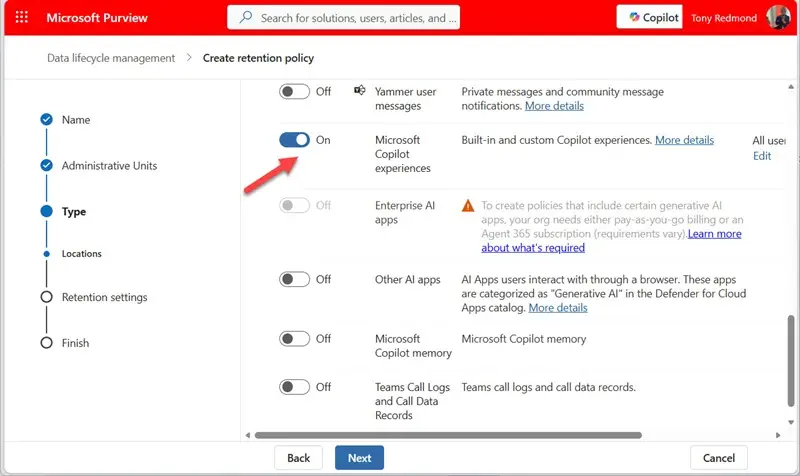
Microsoft 365 tenants that still use older Purview retention policies for both Teams messages and Copilot interactions will need a separate policy for Copilot. Microsoft plans to begin removing Copilot processing from those older policies in late October 2026, with the rollout due to finish by mid-November 2026. The practical task for administrators is to check which policies cover both data types and create a policy for Copilot experiences before the change reaches their tenant.
The change is described in message center notification MC1481313, dated 28 September 2026. When Copilot first arrived, Microsoft stored compliance records of prompts and responses in the TeamsMessagesData hidden folder in user mailboxes. Teams chat retention policies could then process those records alongside Teams conversations. That arrangement provided a way to retain Copilot interactions while dedicated policy controls were not yet available.
Microsoft announced plans to separate the records in November 2024 and later added the ability to create distinct Purview retention policies for Teams and Copilot data. Some tenants, however, continued using older policies that handled both. Once Microsoft removes Copilot processing from those policies, they will no longer provide the same retention coverage for Copilot interactions.
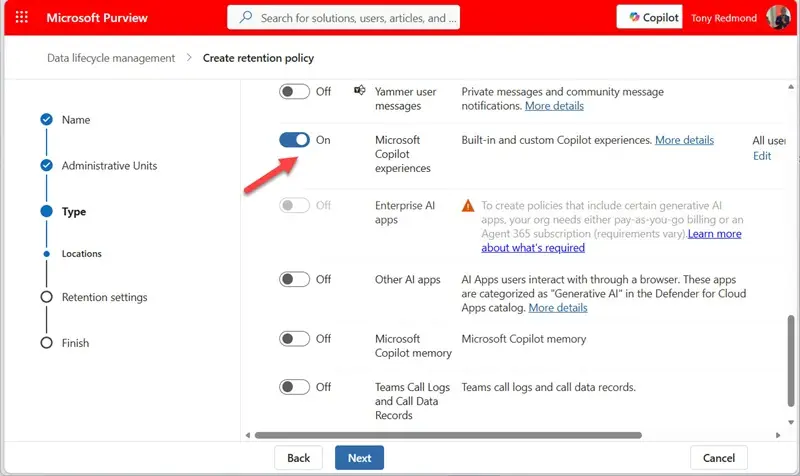
Administrators should review their existing retention configuration and, where needed, create a retention policy for Copilot experiences. The policy covers interactions captured by free and paid Copilot clients. The relevant question for each tenant is whether its current policies still include Copilot data, and whether a dedicated policy is in place to apply the intended retention period.
Copilot memory will also come under Purview retention
A separate change adds Purview data lifecycle management support for Microsoft 365 Copilot memory. Message center notification MC1478965, dated 24 September 2026, describes the feature, which is also listed as Microsoft 365 Roadmap 569612. Its rollout is scheduled to start in late September 2026 and finish by mid-October 2026.
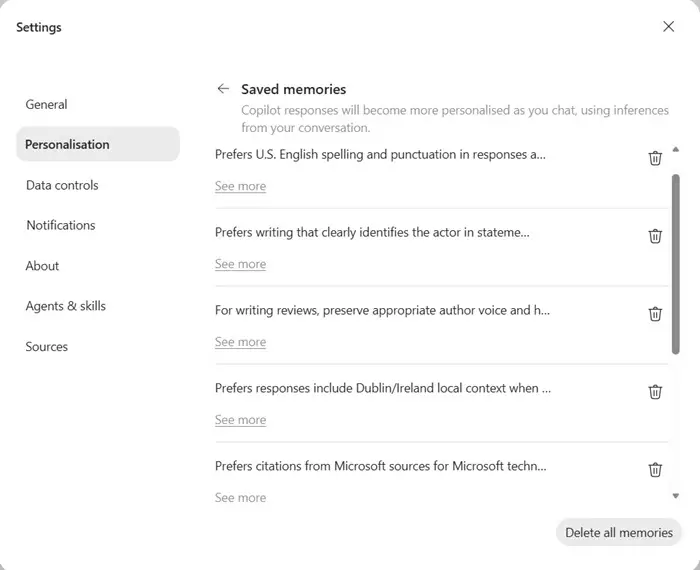
Copilot memory helps personalize responses using information associated with a user’s chats and settings. Microsoft describes it as including “saved memories, details inferred from chat history, and custom instructions that help provide personalized and context-aware Copilot experiences.” The memory settings are stored in a hidden folder in the user’s Exchange Online mailbox.
With retention support, compliance teams will be able to access historical versions of memory items through eDiscovery searches and exports. Microsoft says that this will let teams see how content changed over time. The change adds a way to retain and review those records; it doesn’t, by itself, explain what each memory file contains or how administrators should interpret it.
Microsoft hasn’t described the internal format of Copilot memory files. Their storage in a mailbox makes them relevant to Exchange Online data management, but the available details don’t establish the file structure. Teams assessing the feature will need to focus on the documented retention and eDiscovery capabilities, then evaluate what the returned records show in their own environment.
Outlook theme retirement may reduce related records
Microsoft also plans to retire Copilot themes in Outlook, according to MC1492954, dated 9 October 2026. The feature generated custom themes based on details such as weather or location. Each new theme created a Copilot compliance record in the Microsoft 365 substrate, so retiring the feature should reduce the number of interactions that Purview processes.
This is a smaller change than the policy updates, but it sits in the same administrative picture: Copilot features can create compliance records that need to be understood and managed. A reduction in theme-related records doesn’t remove the need to review retention settings for interactions and memory.
Mailbox inspection options have narrowed
Administrators investigating Copilot records may find that familiar mailbox inspection methods no longer work as they once did. Microsoft has blocked Microsoft Graph access to non-IPM folders and has also blocked MFCMAPI from opening the contents table of the TeamsMessagesData folder. MFCMAPI can still show that the folder exists, but it can’t display the items inside it.
For programmatic access to Copilot interactions, the aiInteractionHistory Graph API remains available. That route takes more work when the immediate task is simply to check whether a record exists, such as when validating retention behavior. Administrators should account for that constraint when planning their investigations and deciding how to confirm that policies are processing data as intended.
Across these changes, the operational priority is to map each Copilot data type to its retention policy and review how the resulting records can be accessed. The late 2026 policy rollout gives tenants a defined window to address older policies; the memory rollout adds another class of mailbox data for compliance teams to assess.


