Retrieve Entra Sign-In Logs at Scale by Splitting Graph Queries
Large Entra tenants can hit Graph timeouts and throttling when fetching sign-in logs. Smaller date windows make retrieval more manageable.
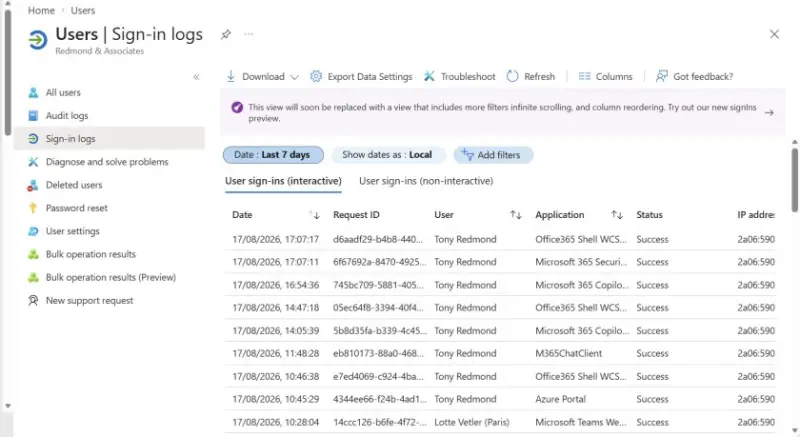
For administrators working with a busy Microsoft 365 tenant, collecting Entra ID sign-in events across a broad date range can turn into a slow, unreliable job. Microsoft Graph paginates results, but pagination doesn’t make a large extraction lightweight: repeated backend queries and continuation requests can lead to long waits, throttling, or a 300-second HttpClient timeout.
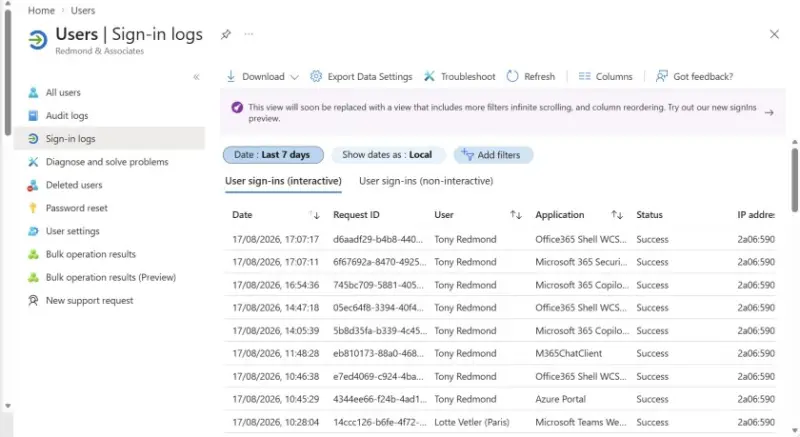
The practical fix is to break the retrieval into smaller date windows and combine the results. That approach takes more individual requests, but each one asks Graph to handle less data. It also gives administrators a clearer way to retry a failed interval without restarting a large extraction.
Choose the data source with retention in mind
Entra ID sign-in logs record authentication activity by users, apps, service principals, and agents. They help administrators determine which identity accessed a tenant, when access happened, and how authentication was performed.
Online retention depends on the event type and licensing. Microsoft Entra ID P1 and P2 tenants can access sign-in logs from the previous 30 days through Graph or the Get-MgAuditLogSignIn cmdlet. Risky sign-ins have different retention periods. Administrators planning an extraction should account for those limits before choosing the time span.
Sign-in events can also appear in the Microsoft 365 unified audit log when audit logging is enabled. Its retention periods differ: the source describes 180 days for Office 365 E3 accounts and 365 days for Office 365 E5 and higher licenses. Administrators can search that data with Search-UnifiedAuditLog or the AuditLogQuery Graph API. For longer-term analysis, some tenants move audit data into repositories such as Sentinel or Splunk, collecting it regularly and retaining it there according to their own requirements.
Why broad requests fail
A high-volume tenant may generate millions of sign-in events in a 30-day rolling window. Asking Graph for a wide date range can therefore mean handling many pages of results. Microsoft's guidance cautions that Graph isn't designed for pulling large volumes of activity data and recommends using a date filter to reduce the chance of a timeout. The Entra admin center uses a seven-day default period and loads more records as needed, which reflects the same operational constraint.
One failure administrators may encounter is: “The request was canceled due to the configured HttpClient. Timeout of 300 seconds elapsing.” Throttling can add delays as Graph limits request rates across workloads. Large extractions are more likely to run into both problems when a script asks for every available page in one operation.
Before running a collection, check whether the tenant's event volume is high, whether the query filters on createdDateTime, and whether the script uses the -All parameter to retrieve all pages. Each can contribute to an oversized request or a long sequence of calls. Graph's Entra ID service limits also matter: retries and delays during throttling can stretch a job well beyond its expected runtime.
Split the date range into manageable intervals
Instead of asking for everything at once, divide the date range into smaller intervals, retrieve each interval, then combine the results. A 30-day period could be queried as 30 one-day chunks. For a tenant with very high event volume, the same period could be divided into 720 one-hour chunks. Those figures illustrate possible interval sizes; the right choice depends on how much data the tenant generates and how the requests perform.
This method is familiar to administrators who collect audit data for storage elsewhere. Rather than attempting one large transfer, they often retrieve data daily and send it to a separate repository. The smaller units make collection easier to track and give teams a more practical basis for retrying work that fails.
The same pattern applies to other large Microsoft 365 datasets. Message trace retrieval, for example, can require smaller time periods: Get-MessageTraceV2 supports chunks of no more than 10 days, so a 90-day collection can be assembled from shorter requests. The shared lesson is to plan around the service's limits and the volume of data, rather than relying on a single query to do all the work.
A sample PowerShell script demonstrating the Entra sign-in approach is available in the Microsoft 365 for IT Pros GitHub repository. It's a demonstration of the technique, not a production-ready collection system. Administrators may need to tune interval sizes for their tenant and add error handling suited to their operational needs.
Plan for retries and output handling
Smaller requests help limit the impact of a timeout, but they don't remove the need to handle failures. A collection process still needs to keep track of which intervals completed, manage throttling and retries, and combine the returned data. That work becomes especially important when a job spans hundreds of hourly requests.
JSON batching is another option for Graph data retrieval. It can group requests, but setting up batches, managing pagination and retries, and reconciling results adds complexity compared with running a sequence of PowerShell cmdlets. Teams should weigh that added work against their collection volume and automation needs.
For administrators, the first configuration decision is the size of each time window. Start with a date-filtered query, then adjust the interval to fit the tenant's sign-in volume and the limits encountered. A repeatable schedule and careful tracking of completed intervals can make large log collections more predictable—and help ensure the records are captured before their online retention period expires.


