Teams Adds Meeting Impersonation Warnings, Transcript Checks and Defender Investigations
Three Teams protections target suspicious meeting identities, social engineering in transcripts and post-incident investigation. Rollouts begin in December 2026.
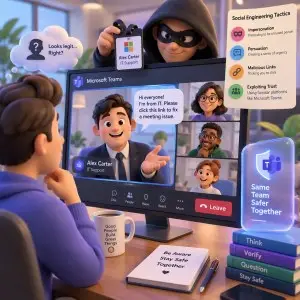
Microsoft is adding Teams protections at three points in the meeting lifecycle: before users join, while a meeting is underway and after a suspicious call needs investigation. The changes combine identity warnings, automatic transcript analysis by Facilitator and new activity data in Microsoft Defender XDR. They give administrators more tools to address impersonation, though details about detection signals, controls and licensing remain incomplete for some features.
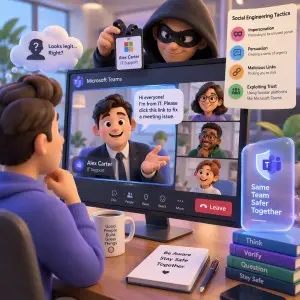
The practical concern is broader than unfamiliar people appearing in federated chat. External participants can join Teams meetings, and social engineering may persuade an organizer to admit someone who shouldn't be there. Unwanted notetaking bots are another reason to review meeting policies; Teams administrators can manage external access and meeting settings to limit exposure. These measures address different entry points, while the new capabilities focus on warning users and helping security teams investigate activity.
Warnings about meeting identities
Impersonation Protection for Teams meetings is described in message center notification MC1530613, dated 29 October 2026, and Microsoft 365 roadmap item 573157. Microsoft expects rollout to begin in mid-December 2026. The feature is intended to detect “potentially deceptive participants and meeting organizers” and alert users, who can then decide whether to join or leave.
That puts an identity warning directly in front of the person making the meeting decision. It may help when a suspicious participant or organizer is difficult to recognize from a display name alone. The available details don't explain which signals Teams will use, how users will see the warning or whether administrators can review detections in a tenant.
False positives are a practical concern. A legitimate external advisor or other invited guest could be flagged, leaving users to weigh an alert against the context of the meeting. Microsoft hasn't said whether tenants can turn Impersonation Protection off, and it hasn't specified which licenses are required. Administrators planning for the rollout will need to watch for those details and consider how staff should handle warnings about expected external attendees.
Facilitator checks meeting transcripts
A separate update gives the Facilitator agent a social engineering detection skill. Message center notification MC1536056, dated 3 November 2026, and Microsoft 365 roadmap item 573450 put the rollout in late January 2027. Facilitator already uses meeting transcripts to produce summaries and identify action items; the new capability will check transcripts for attempts to “trick users into sharing sensitive information.”
The check runs automatically. Users don't need to ask Facilitator to look for suspicious requests, and Microsoft says it can't be disabled for an individual meeting, organizer or tenant without disabling Facilitator. If the agent detects a problem, users will see a warning with options to end the meeting or temporarily restrict information sharing.
Those options could interrupt a legitimate discussion if the system misreads a request. Microsoft hasn't defined what counts as sensitive information or said whether sensitivity labels, including a high-priority label, inform the detection. Administrators should account for the feature's automatic behavior when deciding where to enable Facilitator and how to prepare meeting participants. The agent requires Microsoft 365 Copilot licenses.
Transcript analysis also makes meeting content part of the detection process. That means teams evaluating the feature will want to understand how it behaves with their meeting practices and how users should respond to an alert. Microsoft has not provided enough detail yet to predict how often warnings may appear or how detection will be tuned.
More activity data for investigations
For investigations after a suspicious call or meeting, Microsoft is adding Teams activity information to Defender XDR advanced hunting. Notification MC1532241, dated 30 October 2026, describes the capability, which is available now. The CallActivityEvents table contains information about activity in Teams calls and meetings, including who scheduled calls and what happened.
Security teams can use that data to establish who initiated activity and which organization was associated with the initiator. Those details may help build a timeline when investigating suspected social engineering or impersonation. Access requires Microsoft Defender for Office 365 Plan 2, included in E5 SKUs. Teams without that licensing should factor the requirement into their investigation planning.
Plan for distinct controls and gaps
The three updates serve different purposes: Impersonation Protection warns people about meeting identities, Facilitator checks transcript content during meetings, and Defender XDR provides activity records for later investigation. They don't remove the need to manage external access, meeting policies or user judgment. Administrators should track the December 2026 and January 2027 rollouts, confirm licensing, and look for Microsoft’s remaining guidance on detection signals and tenant controls.
Teams is a valuable target because access to an employee account can give an attacker a foothold inside a tenant. As stronger multifactor authentication, passkeys and the retirement of insecure APIs make some account compromise routes harder, impersonation and social engineering remain relevant risks. These additions may help teams identify and investigate suspicious meeting activity; their day-to-day value will depend on how well warnings distinguish deceptive behavior from ordinary external collaboration.


