Data Silos in IT: Causes, Risks and Steps to Improve Visibility
Disconnected IT data slows decisions, obscures security risks and adds service desk work. Start with an audit, then pair shared analytics with clear data ownership.
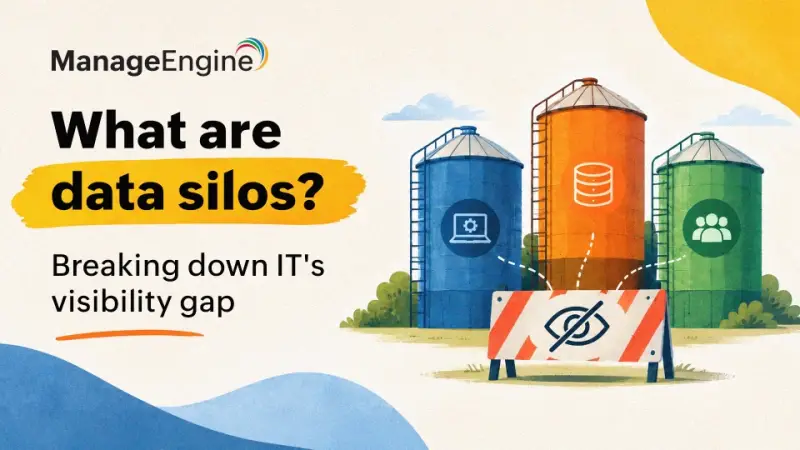
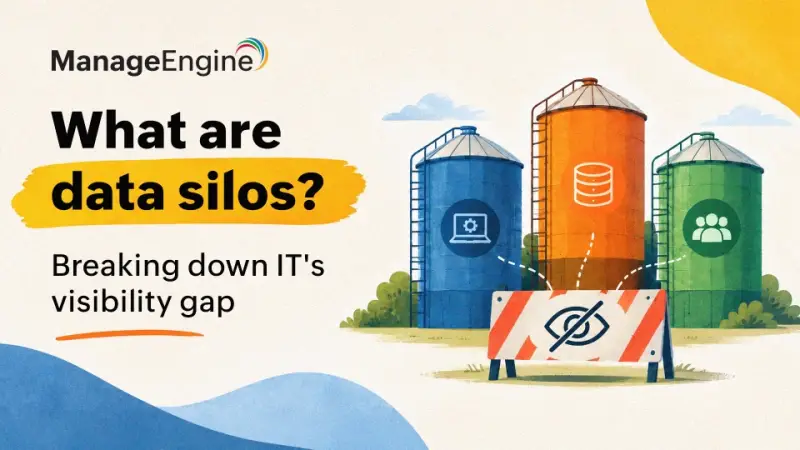
When service desk tickets, endpoint records and vulnerability findings live in separate systems, each team sees only part of the environment. That gap makes routine reporting slower and can leave IT managers making decisions with incomplete context. The work to improve visibility starts by finding where data is held and who can use it; technology consolidation alone won’t address the organizational habits that create new silos.
What an IT data silo looks like
A data silo is a collection of information managed in one system or by one team, with limited ways to share it elsewhere. A service desk might track incidents in its ticketing platform, security staff might manage vulnerability findings in another tool, and endpoint teams might hold device and patch records in a third. Each group can have a useful view of its own work while lacking the details needed to understand how that work affects other teams.
The separation becomes visible in everyday tasks. Producing a combined report may require manual exports and reconciliation. A technician investigating a user’s issue may need to look up device details in a separate system, while a security analyst may not have access to ticket history that could help explain an endpoint’s condition.
It helps to distinguish data silos from information silos. Data silos hold records apart from other systems. Information silos also divide the knowledge and context people have built around those records. Integrating platforms can make data easier to combine, but it won’t automatically spread team expertise or establish good communication. Both gaps need attention.
Why fragmentation builds up
Organizational structure is one common cause. Business units and product teams may maintain separate collection and management processes because they have different needs, confidentiality requirements or established ways of working. Engineering, finance and marketing, for example, can each choose tools that fit their own tasks. Those choices may be reasonable locally, yet create a fragmented picture across the organization.
Communication gaps add to the problem. When teams rarely compare their processes or data, they may repeat work or keep records that another group could use. Independent systems can also develop incompatible formats and definitions over time. At that point, sharing information takes a planned integration effort instead of a straightforward request.
Technical history matters too. Older platforms may not connect easily to newer tools, and inconsistent governance can leave different systems using incompatible names for the same asset or measure. Mergers and acquisitions can bring together systems that were built without any expectation that they would have to exchange information. Databricks describes fragmentation as a common condition in enterprise IT, but its prevalence doesn’t make it a good operating model. Databricks’ explanation of data silos outlines the causes and possible remedies.
What silos cost IT teams
Fragmented records make it harder to analyze activity across services. Teams spend time matching duplicate entries, tracking down missing fields and working around data that never transferred between systems. That effort delays the actual decision or incident response the analysis was meant to support. It can also slow the organization’s response to change, while separate data practices add work to governance and reporting.
Security decisions depend on context. Assessing an asset means considering details such as unauthorized software, missing critical patches and asset age together. If those facts are split across systems, a security team may struggle to form a reliable picture of risk. The same separation can hide the full operational cost of an incident, including equipment replacement, the staff effort required to restore service and lost productivity during downtime.
Service management has a more immediate version of the problem. When tickets, assets and endpoint details sit in different tools, technicians have to assemble context before they can focus on resolving the user’s issue. That lookup work consumes time that could otherwise go toward diagnosis and service restoration.
Fragmentation also affects data work involving artificial intelligence. Databricks argues that organizations can’t readily combine structured data held in a warehouse with unstructured data kept in a separate lake for machine learning or generative AI. Gartner forecasts that by the end of 2028, organizations that have adopted and maintained a mature AI strategy will achieve at least 25% better business outcomes than their peers. That forecast highlights why data access and organization are operational concerns for teams planning AI work; it doesn’t guarantee a particular result for any individual organization. A study published through ScienceDirect also discusses the disadvantage organizations may face when their data remains divided across silos. Gartner’s AI-first analysis and the ScienceDirect study provide further context.
Start with an audit and clear ownership
The practical first step is to establish what exists. A data audit should document the systems that hold information, the teams responsible for it, who can access it and how the data is used. Databricks SRE recommends regularly auditing data and tracking sources across the business. This map gives IT a baseline before anyone selects a platform or plans a migration.
Everyday friction can point to where to look first. A report that takes too long to assemble, or two teams producing different values for the same measure, may reveal a larger issue with access, definitions or integration. Record these examples alongside the systems and data involved so the audit connects the technical map to work that matters to staff.
After identifying the silos, work on technical design and organizational practices in parallel. A central data architecture needs to accommodate structured and unstructured information without forcing every team to rebuild its processes. At the same time, shared definitions and management policies can reduce the chance that a new set of disconnected systems develops.
Assigning data stewards can make responsibility for quality, access and data life cycle explicit. A cross-team governance council can help maintain communication and resolve disagreements as tools and requirements change. The Data Management Association’s DAMA-DMBOK practices and Responsible, Accountable, Consulted, Informed (RACI) matrices offer frameworks for clarifying roles in data decisions.
Leadership support can help teams make changes that span departments. A case for the work is stronger when it connects centralization to specific operating needs: reducing time spent preparing reports, improving visibility into risk, or making it easier to assess the impact of a change. Comparing current support costs with expected savings from consolidation may help decision makers assess the project. Any estimate should be grounded in the organization’s own systems, staffing and service demands.
Where unified analytics fits
Unified analytics can bring information from separate IT sources into a shared reporting layer. That gives service desk, security and endpoint teams a common basis for analysis and can make questions spanning those functions easier to answer. For example, teams could compare technician workload with endpoint vulnerabilities, examine whether a security update coincided with a change in ticket volume, or plan a rollout with user impact in mind.
ManageEngine Analytics Plus is presented as one example of cross-source analysis, with capabilities for bringing service desk and endpoint information together. The operational value depends on which sources are connected, how consistently their records are defined and whether the resulting reports answer useful questions. A shared dashboard can improve visibility into data; it can’t supply context that teams haven’t recorded or resolve unclear ownership by itself. ManageEngine’s Analytics Plus information describes its approach to connecting these data sources.
ManageEngine also describes products across its suite as addressing different areas of IT operations: ServiceDesk Plus for service management, Endpoint Central for endpoint and patch information, and PAM360 for privileged access. The company says its Zia AI assistant provides a shared intelligence layer across the suite, allowing users to query information, create dashboards and investigate issues in plain language. These are vendor-described capabilities; teams assessing them should check how the products connect to their current systems and what information is available to each role.
Keep the work useful after consolidation
Data silos reflect a combination of technical debt, local team practices and gaps in shared governance. Closing them takes more than moving information into one place. IT teams need to identify the systems and access boundaries, agree on definitions, assign ownership and give staff a way to use the combined data in their day-to-day work.
Start with a mapped view of the data and the specific tasks that fragmentation slows down. Then use those findings to guide integration and governance decisions. A shared analytics layer can help teams act on the same information, while ongoing stewardship and communication help keep that view accurate as systems and responsibilities change.


