Microsoft Entra ID Conditional Access Policy Plans: What Admins Need to Know
Entra ID policy plans group shared conditions across related rules. Admins should review preview limits and token behavior before considering migration.
Policy plans target duplication in mature Conditional Access setups
Microsoft is previewing Conditional Access policy plans in Entra ID to help administrators organize related access rules. The feature addresses a common operational problem: Conditional Access configurations often grow over time, leaving teams to maintain many policies that repeat the same assignments, conditions, and exclusions.
Conditional Access evaluates sign-in signals such as identity, device state, location, application, and risk. Depending on those signals, a policy can allow access or require controls such as multifactor authentication. Organizations add policies as they protect more applications, user groups, locations, and sign-in scenarios. Microsoft has also expanded the feature set, including support for authentication strength, which can add further reasons to revisit existing configurations.
Yet administrators may hesitate to tidy up policies that already protect a tenant. An overlooked exclusion or changed condition can affect access, and a mistake could create a security gap. As a result, many environments retain years of accumulated rules. Policy plans offer a way to make related configuration easier to manage by defining common conditions once and applying them across a group of rules.
Shared conditions are the main change
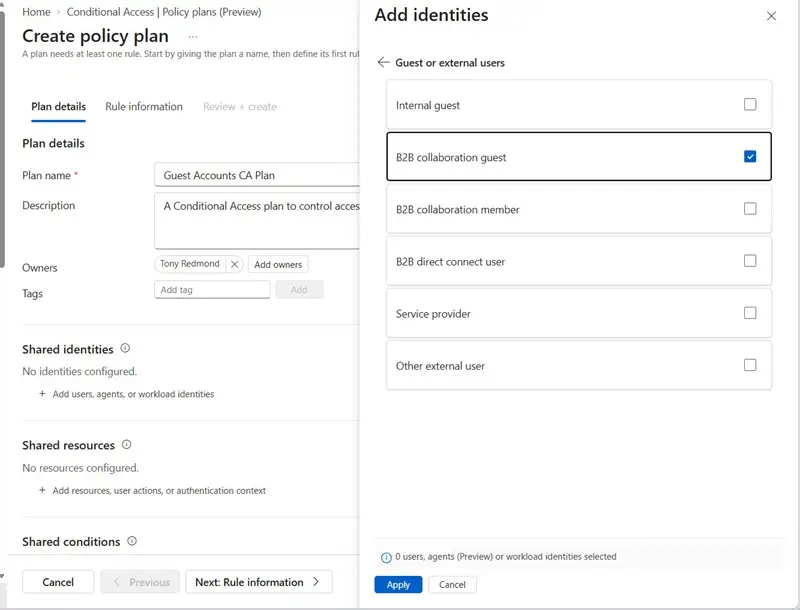
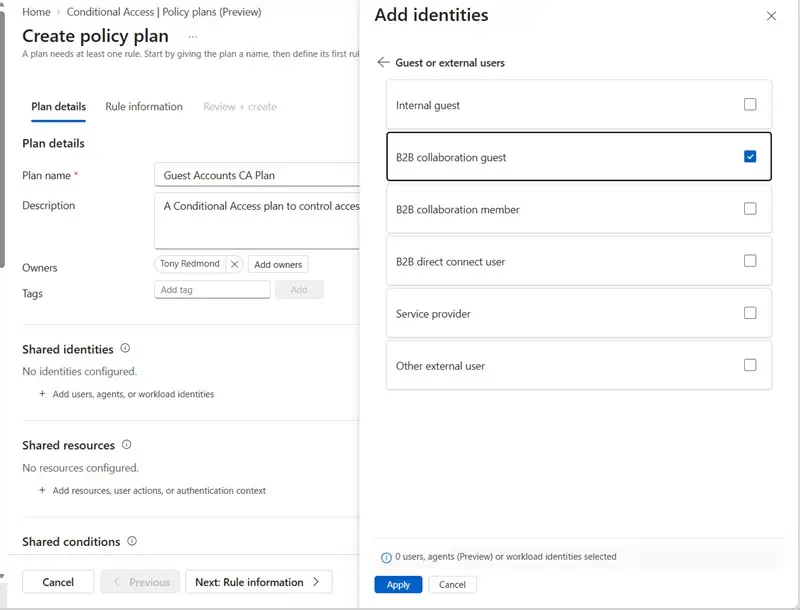
A plan brings together plan details, shared conditions, and individual rules. The shared conditions are inherited by the rules in that plan, reducing the need to repeat the same settings in each policy.
For example, an organization may exclude two breakglass accounts from its Conditional Access policies so administrators can regain access during an incident affecting normal sign-ins. If ten related policies carry the same exclusions, each one must be updated when those accounts change. A plan can hold the common exclusions centrally so its rules inherit them.
The same approach can apply when separate rules target Windows, macOS, iOS, and Android. Administrators could set shared user targeting and emergency access exclusions once, while keeping platform specific decisions in individual rules. Microsoft lists identities, resources, risk, device platforms, locations, and client application types among the conditions that can be shared.
That structure could make a large deployment easier to review and reduce the chance that related policies drift apart as administrators update them. The practical benefit depends on whether teams can map their existing rules into sensible groups without obscuring what each rule does.
Plans organize rules; they do not replace policy evaluation
Policy plans are an organizational layer for Conditional Access, not a separate access enforcement system. Individual rules in a plan still make their own Conditional Access decisions, and standalone policies can continue to operate alongside plans.
At sign-in, applicable standalone policies and plan rules are evaluated independently. There is no precedence that lets one rule override another; access is granted only when every applicable policy and rule is satisfied. Administrators therefore need to account for the combined effect of existing policies and any rules placed in a plan. Creating a plan does not, by itself, remove or supersede the controls already in place.
Migration analysis leaves existing policies intact
Microsoft has included an analysis option for organizations with existing Conditional Access deployments. Entra can examine selected policies, identify conditions they share, and propose a plan structure with shared settings and individual rules.
The analysis does not change the selected policies. That gives administrators a chance to inspect the proposed organization before deciding whether it reflects the intended access model. This could help teams assess a migration without immediately changing production controls, though the proposal still needs careful review against the way the tenant works.
Moving from a new design to a long running deployment is a different task from building policies from scratch. Existing rules may reflect years of changes in users, devices, applications, and sign-in requirements. Administrators will need practical experience to understand how migration behaves at scale and how to catch any unintended change in access. Documented outcomes from real deployments should help teams judge when a plan is a good fit.
Preview limits and token behavior need attention
Conditional Access policy plans remain in preview and have restrictions that affect how rules can be designed. Plan level targeting cannot be narrowed by individual rules. Rules cannot remove exclusions inherited from a plan, shared conditions cannot mix identity types, and the All resources assignment is available only at rule level.
Microsoft also warns about a specific sign-in behavior during the preview: users targeted by a plan that uses Location as a condition receive one hour access tokens without an instant IP enforcement check. Teams evaluating location based plans should include this behavior in their review before using the feature in a production configuration.
Operational tooling is another part of the assessment. Microsoft says each rule appears separately in sign-in logs, which should help administrators trace decisions during troubleshooting. Teams managing Conditional Access at scale will also need to consider Microsoft Graph and PowerShell support, along with configuration backup and recovery.
The design aims to reduce repeated settings and make related rules easier to maintain. Before reorganizing a mature tenant, administrators should examine the migration proposal, test rule behavior, and account for the preview restrictions and location token behavior. Production experience will show whether shared conditions simplify day to day management without making the overall configuration harder to understand.


