Microsoft To Do Apps Set to Retire June 30, 2027 as Planner Takes Over
Planner will replace To Do for work and school accounts, but existing tasks, Outlook workflows and integrations need careful handling before June 30, 2027.
Planner becomes the home for personal work tasks
Microsoft plans to retire the To Do applications on June 30, 2027, and move personal task management for work and school accounts into Planner. The shift gives Microsoft 365 a shared task platform for individual work and team plans. For administrators and users, though, the date marks an app retirement, not a clean transfer of every existing task and workflow.
Microsoft described unified plans in a Planner blog post dated 18 November 2026. The plans are intended to work across Microsoft 365 experiences including Outlook, Teams, Loop and Copilot. In Planner, newly created personal tasks will live in a private Planner plan. Existing To Do tasks may still appear in Planner during the transition, but Microsoft says they will not be moved into that new private plan.
That distinction matters. A task that remains visible for a time has not necessarily been migrated into the replacement structure. Users will be able to view and manage their existing To Do tasks through Planner until June 30, 2027. After that, those tasks will no longer be available there. Microsoft says the underlying To Do service, its Graph API and synchronization support have separate retirement timelines, which it plans to share later.
A long-running split in Microsoft task management
To Do grew out of Microsoft’s 2015 acquisition of 6Wunderkinder, the company behind Wunderlist. Microsoft launched To Do in 2017 and retired Wunderlist in 2020. The app offered a lightweight task interface across Windows, macOS, iOS, Android and the web. Behind that interface, however, To Do remained closely tied to Exchange mailbox tasks. That connection is why flagged Outlook messages can surface as tasks in To Do.
Planner developed separately for team task management, leaving users with overlapping systems: Exchange tasks in Outlook, personal tasks in To Do and shared work in Planner. Microsoft later expanded Planner into Basic and Premium offerings as it retired Project Online. Its interface can vary with a user’s licence. Microsoft has also added a Planner agent, though its value depends in part on whether a user has a Microsoft 365 Copilot licence.
Moving personal tasks into Planner appears to simplify the underlying arrangement. Planner is already available inside Outlook, where users can manage tasks and shared plans. The change therefore shifts task management onto Planner’s infrastructure, rather than simply giving To Do a new name. Microsoft also plans to update existing task entry points across Microsoft 365 to connect with Planner, making the transition a staged process.
Outlook workflows need a clear path
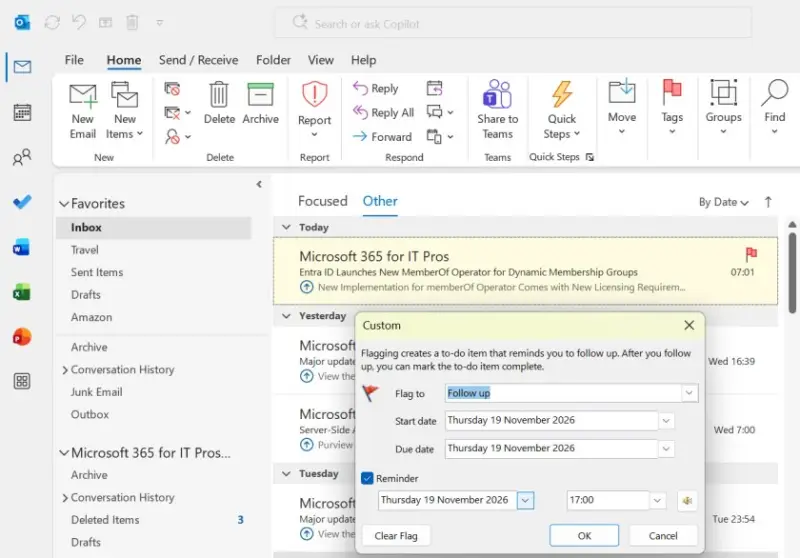
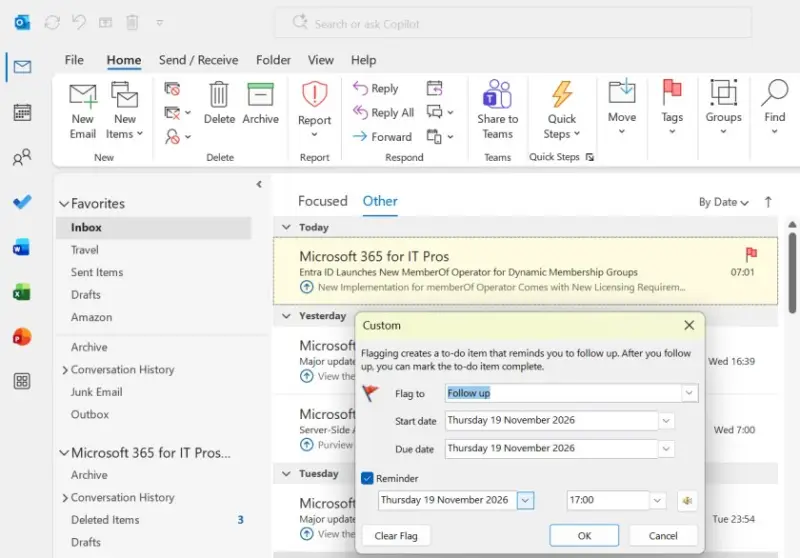
Outlook is one of the transition’s most important details. Many users flag an email and expect a follow-up task to appear. Microsoft will need to preserve that familiar action as the destination changes from To Do to Planner. The current experience ties flagged messages to To Do tasks, so administrators should watch for details about how that connection will behave in the updated applications.
Classic Outlook’s native Tasks feature is a separate case. Microsoft says those tasks will continue to work and synchronize with Exchange. The June 30, 2027 retirement therefore does not end Exchange tasks. It does affect the To Do experience that Outlook classic offers as an alternative when users open Tasks.
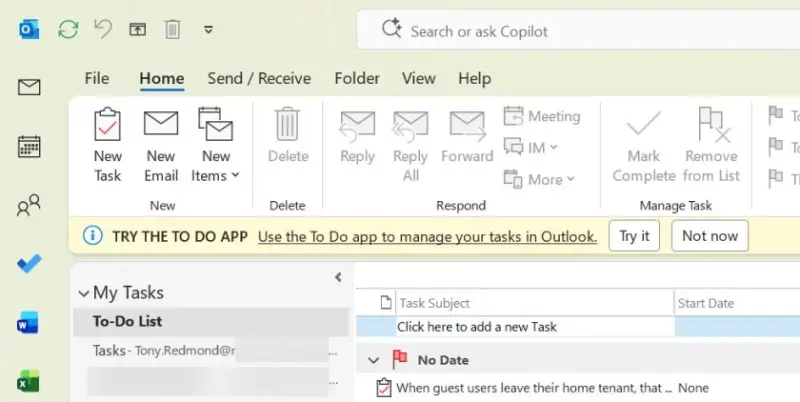
The distinction between classic Tasks and To Do could matter for training and support. Users may see both experiences in Outlook, even as Microsoft redirects personal task work toward Planner. Teams should identify which Outlook task workflow people actually use before the change reaches them.
Feature gaps and integration work remain
Planner’s private plans do not currently match every To Do capability. Planner labels do not synchronize with Outlook categories, and tasks in the new Planner-backed private plan do not currently support file attachments. To Do list groups have no direct equivalent in Planner. Shared To Do list membership, assignments and permissions will not transfer, while Planner notifications do not exactly replace To Do reminders.
Desktop and offline use are another consideration. Microsoft does not plan native Windows or Mac Planner apps to replace the To Do desktop applications. Users who rely on offline task access may lose part of their current workflow. Organizations should account for these differences when deciding how to prepare staff and whether other tools are needed for particular work patterns.
IT teams should also inventory applications, scripts and Power Automate flows that call the existing Graph To Do API. A unified plans API is available in beta through Microsoft Graph, and it points toward the new platform for programmatic access. Its beta status and the separate retirement timelines for To Do’s service, API and synchronization mean teams should check compatibility and migration guidance before changing integrations.
Personal accounts face a different transition
Microsoft 365 Personal and Family subscribers do not get Planner as a To Do replacement for personal Microsoft accounts. Microsoft’s guidance tells those users to choose another task application. The company promises an export facility before To Do retires, but warns that exported content may not be importable into Planner or another app. An export can preserve task information without recreating lists, reminders, sharing arrangements or the way a person organized their work.
That leaves a different set of choices for personal account users than for work and school tenants. People who moved from Wunderlist to To Do when Wunderlist closed in 2020 may face another move, this time without a Microsoft destination for personal accounts.
The shared Planner foundation may reduce the split between individual and team tasks over time. The work before the retirement date is more practical: check how Outlook follow-up tasks will be handled, map existing To Do lists and automations, and plan around the features that do not carry across. Microsoft’s next details on migration, API timelines and Outlook integration will determine how much of the transition can be automated.


